
Tasks - "Working on"
A shared task list to track what's being done, with optional sync from your PM tool.
The Working on tab is a simple, shared task list so everyone can see what's in flight, what's done, and what's overdue.
Working with tasks
- Add a task with a title, due date, the tool it relates to, and a priority. A task you add yourself is yours: it shows your name, not your account team's.
- Move tasks through to do - in progress - done with Start and Done on the row. Every task has them, whoever or whatever created it - a task raised from advice you accepted is marked done the same way as one you typed yourself. The one exception is a task synced from your PM tool (below).
- Changed your mind? Reopen on a completed task puts it back in the list.
- Filter by status, by date (overdue, this week, by month) or by tool.
- Mark a task done and it's recorded - which also nudges a short follow-up later so things don't quietly get dropped.
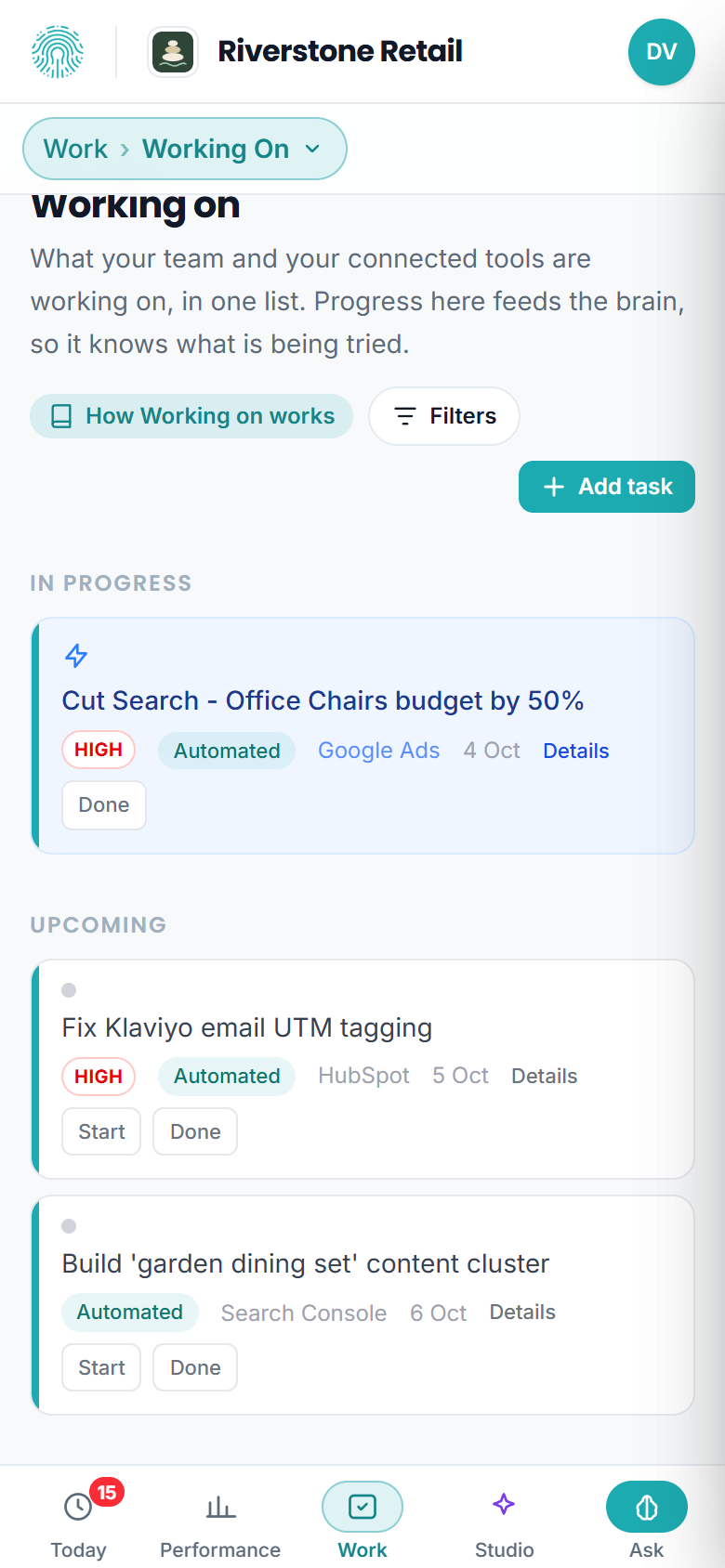
Working on, on a phone. Each task keeps its Start and Done on the row, and the tab's controls fold behind one Filters button.
Reading the list
- Every open task shows its due date. A task past its date reads Overdue in red, and the red count beside Working on in the sidebar counts the same tasks, so the two never disagree.
- High-priority tasks carry a small High marker; medium and low stay unmarked.
- A task with a longer note behind it shows Details at the end of the row; open it to read the reasoning (advice you accepted keeps its rationale here).
- If a change does not save, the row says so in red. Nothing fails silently.
- A web address typed into a title shows as a link to the site, not the full address.
- When the platform can prove a task is already done - for example a "set up Google Analytics" task once Google Analytics is connected and reporting - it completes the task for you and lists it under Recently completed. Your account team can undo that from their side.
Synced from your PM tool
If you run projects in Asana, Monday, Trello or ClickUp, tasks can sync in automatically (one-way, on a daily schedule). Synced tasks show a "synced from" label and are read-only here, so they have no Start or Done: the sync runs one way, and a change made here would be undone by the next one. You manage them in your PM tool, and they show up alongside your other tasks for a single view.
Tasks can be owned by your team or assigned to the client, and you also have a cross-client Work Queue that rolls every client's tasks into one list.
Anyone in your workspace can add and complete tasks, so it works as a lightweight to-do board for the whole team.