
Ad platform tabs (Google, Meta, TikTok & more)
Spend, conversions and ROAS for each of your advertising channels, down to the campaign.
Each advertising platform you connect gets its own Performance tab - Google Ads, Meta Ads, TikTok, and LinkedIn/X where available. They all follow the same shape, so once you know one you know them all.
What's on an ads tab
- Headline metrics - impressions, clicks, spend, conversions and ROAS, each with period-over-period change.
- Campaign table - the same metrics broken down by campaign (and ad group / ad set / ad where supported).
- Breakdowns - by device, location, keyword or audience, depending on the platform.
- Related reports - the paid media reports published for you. If none exist yet, the tab shows your latest report of any kind as a single line instead.
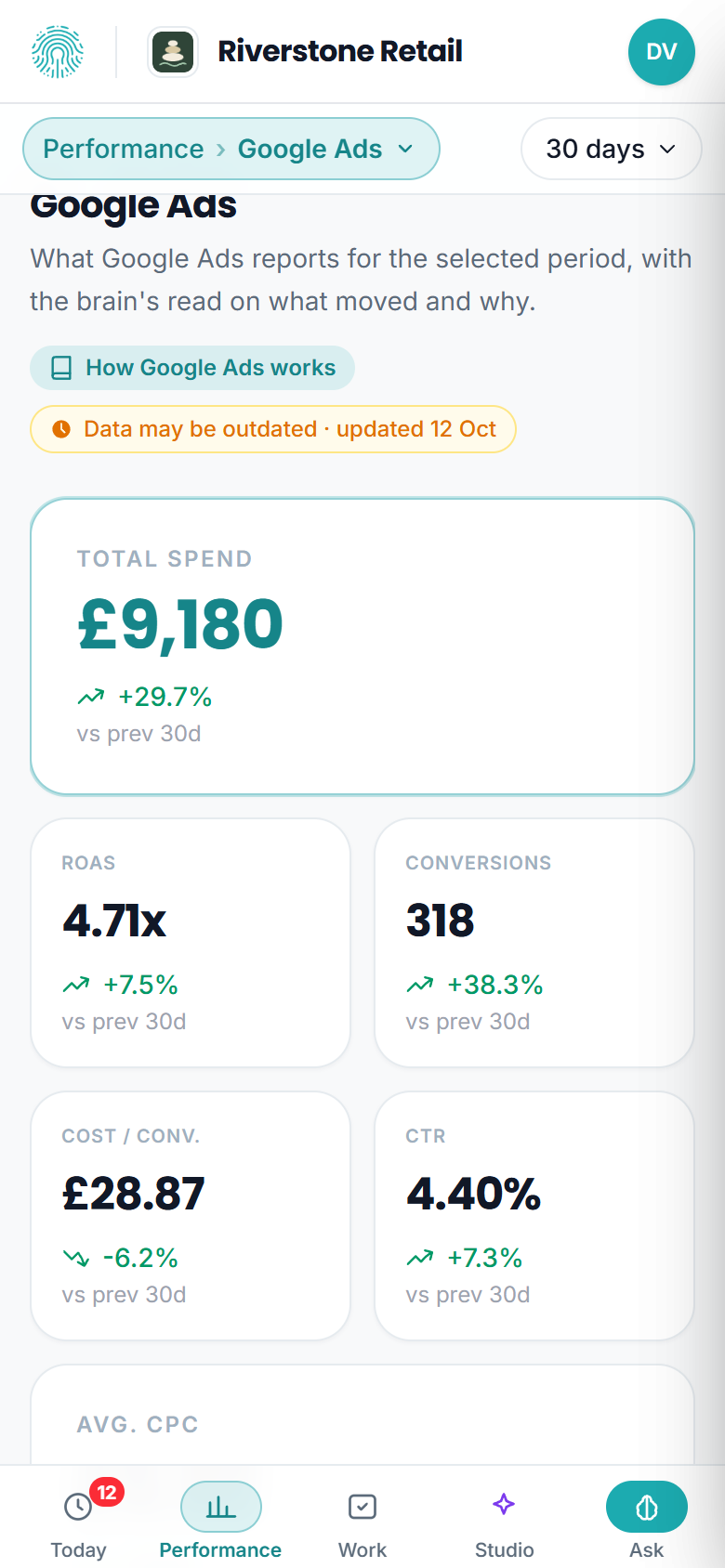
On a phone the spend tile takes the first row on its own, so the figure an ads tab is read for is the first thing on screen. The rest follow in pairs.
Before your ads launch
An ads channel with no spend in the selected period or the one before it is not reporting a result - it is waiting. Instead of a row of zero tiles, the tab opens on Not running yet, with:
- What is holding launch - the conditions your Brain holds about this channel, such as a brand pack still due or an account verification still pending. These come from what you and your team have told the Brain, so if one is out of date, correct it there and the tab follows.
- Set up and waiting - the campaigns already created on the platform, with their status, so you can see the groundwork is done.
The tiles, chart and funnel return the moment there is spend to measure.
When the platform's own numbers are in doubt
Every figure on an ads tab comes with a check on the way in. If that check finds something you should know before reading the numbers - for example Meta returning no campaigns and no ads at all, which could be an unused account or a connection that cannot see it - the tab says so in one line under the tiles, and the tiles drop their change arrows rather than show a green or red percentage over a figure nobody should trust yet.
True ROAS vs platform ROAS
The number on an ads tab is the platform's own reported performance. For the honest, blended picture - where revenue is confirmed by your CRM rather than self-reported by the ad platform - head to Attribution. Ad platforms tend to over-claim, so the two views together tell the real story.
Ad Studio
The Meta Ads tab (and, over time, others) links into the Ad Studio - the closed-loop engine that proposes campaigns, generates creative variants and can manage spend.
Some advanced Ad Studio actions that push changes back to the ad platform are operated by your team or rolled out gradually; you'll see clearly what's available on your plan.
Spend-control and write-back actions are governed by your account configuration and platform permissions; some are gated until the relevant scopes are granted. See Ad Studio.
Google Ads and Meta Ads can be read over any two dates of your own, not only 7, 30 or 90 days: spend, ROAS, conversions, cost per conversion, CTR and CPC, with the daily trend and a like-for-like change. Campaign tables, top ads and CRM-attributed revenue stay on the fixed periods - see Custom date ranges.
If a platform isn't connected, its tab shows a "connect this" prompt - see Connecting Meta, TikTok, LinkedIn & X.
The campaign table on each ads tab exports with Export CSV - sorted and filtered as you left it, every matching campaign, not just the ones on screen. See Exporting a table to CSV.